Mind Map Maker for Ideas Ready to Present
Most mind map makers are built for the thinking and stop there. The map grows across an endless canvas, and when it comes time to show your work, you flatten it into a screenshot. Beautiful.ai builds the mind map as a slide instead: your central idea sits at the hub of a Hub and Spoke Smart Slide, every branch snaps into alignment while you drag, and the finished map is ready to present, share, or export the moment you stop editing.

A mind map creator built for presentations
Dedicated mind mapping tools stop at the map. Beautiful.ai keeps the map inside the presentation it was always headed for, so your thinking and the story you tell about it stay in one place.
A mind map that behaves like a slide
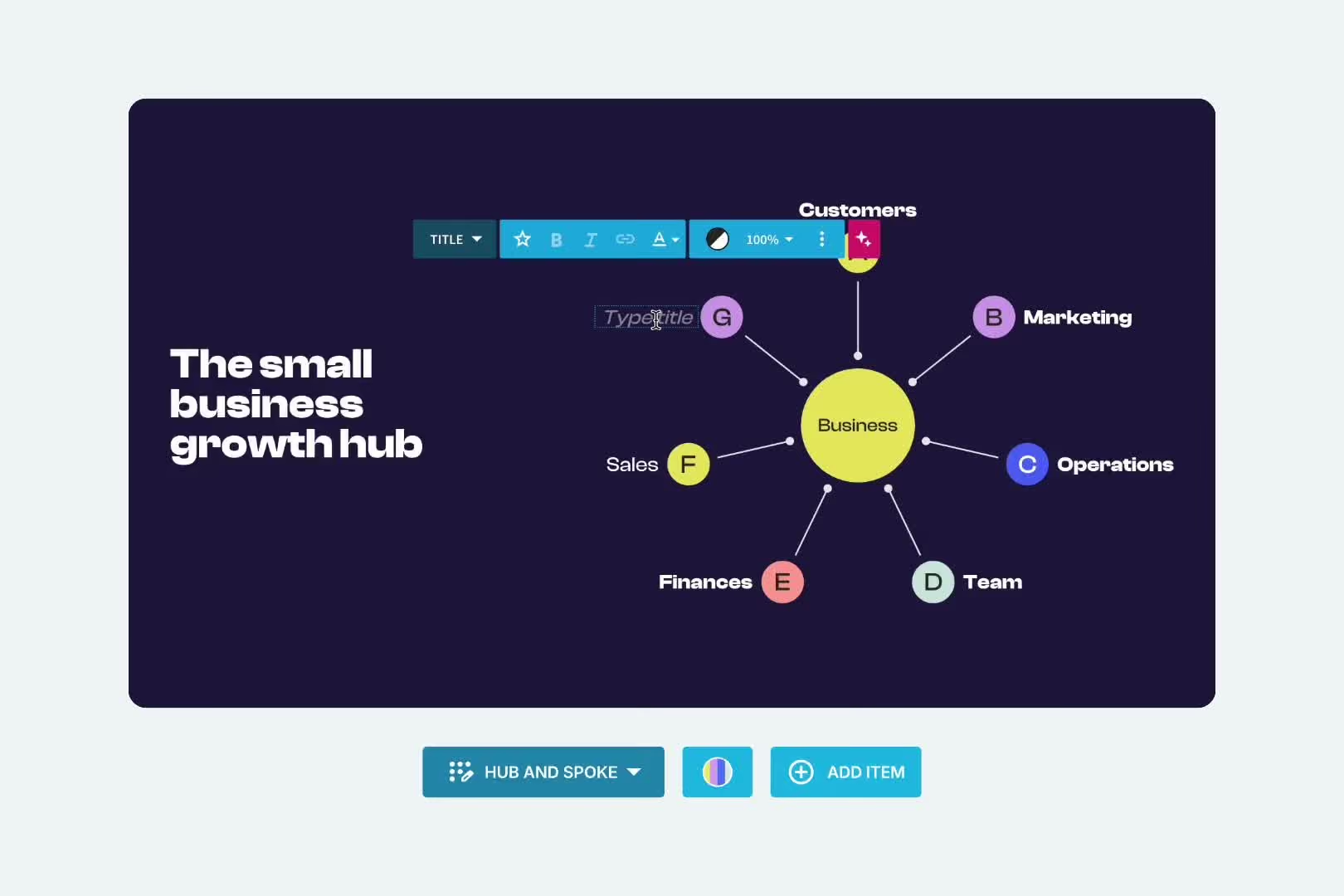
Start from the Hub and Spoke template, a radial layout that puts your central idea at the hub and arranges supporting ideas like spokes on a wheel. Add a node for each branch, and let the Smart Slide pull the layout into alignment as you move ideas around.
Branches that stay on brand
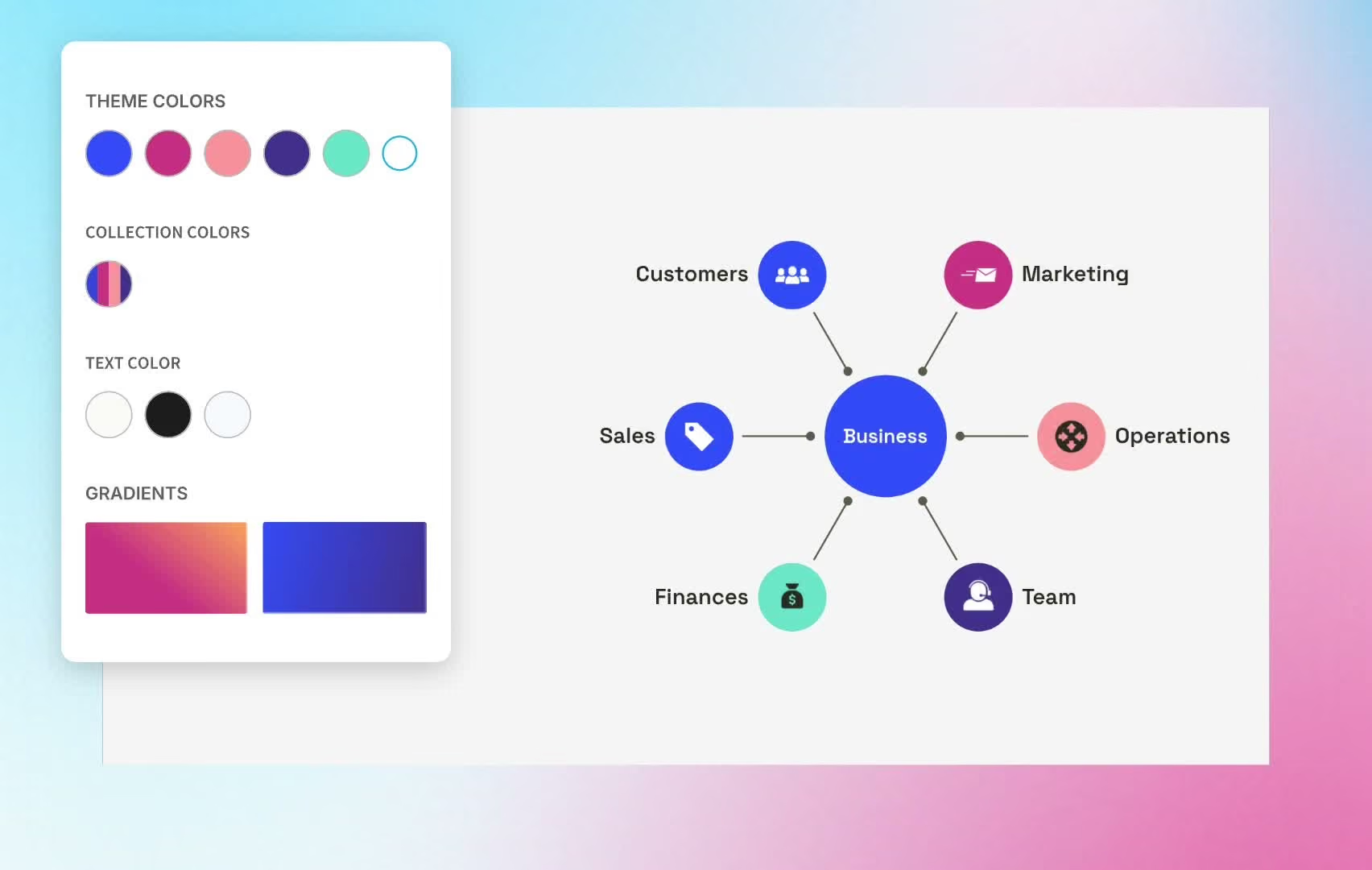
Node colors come straight from your chosen theme, so your mind map matches the deck around it without a single manual tweak. Connector styles are yours to set, from Type to Weight to Decoration. Set your colors, fonts, and logo once with Themes, and every map your team makes carries the brand.
AI and 300+ layouts behind every map
Smart Slides are AI-editable, which means you can generate, rewrite, and refine the text on your nodes directly within the slide. Begin with Create with AI, a deck template, or one slide at a time, then reach into over 300 Smart Slide layouts when your map needs company: Connection Diagrams, Process Diagrams, timelines, and more.

How to make a mind map in Beautiful.ai
Three steps from a blank slide to a mind map you can present. No design skills required, and no screenshot pasting at the end.

1
Start with the Hub and Spoke template
Open the Hub and Spoke Smart Slide, or begin from Create with AI, a deck template, or a single slide. Every path puts your map on a Smart Slide that auto-aligns as you edit, so the radial layout is handled from the first node.

2
Put your central idea at the hub
Name the hub for the concept you are mapping, then add a spoke for each major branch: themes, causes, features, or parts of the whole. Keep each node to a few words so the shape of your thinking stays readable at a glance.

3
Style it, present it, export it
Swap node colors within your theme and tune the connectors until the map reads clearly. Built-in animations play automatically when you present in the Beautiful.ai player, and when the map needs to travel, download the deck as a PowerPoint, Google Slides, or PDF file.
Frequently asked questions
A mind map is a diagram that organizes ideas around one central concept. The main idea sits in the middle, major themes branch out from it, and smaller details branch again from each theme, so the structure radiates outward like spokes on a wheel. Because that shape mirrors the way people connect ideas, mind maps show up everywhere from brainstorming sessions to lecture notes to project kickoffs.
The names are interchangeable. Mind chart and mental map both describe the same radial diagram: a central idea with branches spreading outward. Whichever term your team uses, the structure works the same way, and a mind chart maker and a mind map maker are the same tool.
Beautiful.ai is free to try: every account starts with a 14-day free trial of the Pro or Team plan. After the trial, paid plans are available for individuals, teams, and enterprise organizations. There is no permanently free tier, so you always know exactly what you are getting and when.
Yes. Beautiful.ai pairs its AI creation with real-time collaboration, brand controls, and analytics in one platform, so the person who mapped the idea and the person who presents it can work in the same deck. Themes keep every branch inside the brand while they do it.
If you are capturing hundreds of nodes on an infinite canvas, collapsing deep branch hierarchies, or running long research sessions, a dedicated mind mapping tool gives you the space and the specialized controls, and it is the right tool for that job. Beautiful.ai's mind map maker is built for the moment your thinking needs an audience. The map lives on a slide, matches the rest of your deck, and presents beautifully. For neighboring diagrams, the same library includes the Process Diagram and Connection Diagrams, and the flowchart maker.
The format is radial. One central node holds the main idea, first-level branches hold the major themes, and second-level branches hold the supporting details. Keep each node to a few words, group related branches with color, and let the map grow outward rather than down the page. In Beautiful.ai, the Hub and Spoke template gives you that structure as a starting point.
Open the Hub and Spoke Smart Slide, name the hub for your central concept, and add a spoke for each major branch. The slide keeps the layout aligned as you add ideas, your theme keeps the colors consistent, and the finished map is already a slide in your deck. From there you can present it, share it, or build the rest of the presentation around it.
No, the AI assistant does not directly generate a new mind map. Start from the Hub and Spoke Smart Slide instead. Smart Slides stay AI-editable while you build, so you can generate, rewrite, and refine the text on your nodes without leaving the slide.
Yes. Every deck created in Beautiful.ai can be exported as a PowerPoint file, and slides remain fully editable after export. Google Slides and PDF downloads are available too, so your mind map arrives as a working slide rather than a pasted picture.

Turn your next big idea into a presentation.
Map it once, keep it on brand, and present it beautifully. Try Beautiful.ai free for 14 days.
